June 29 turned into one of the busiest StixCut days so far. Version 1.0.15 went out first thing in the morning, and version 1.0.16 followed late at night after a template request in the Liene PixCut S1 Owners group pushed a long-planned idea over the line.
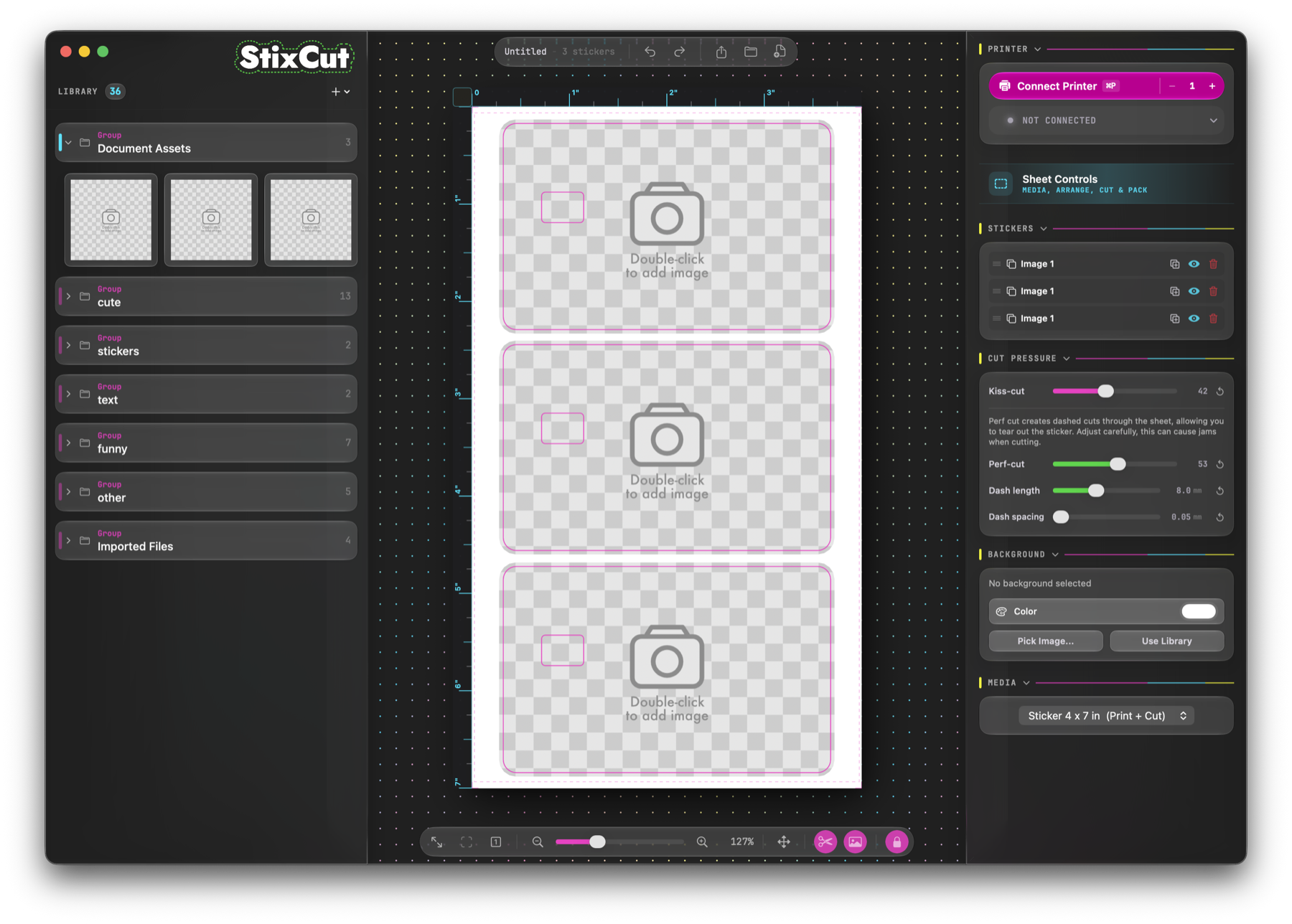
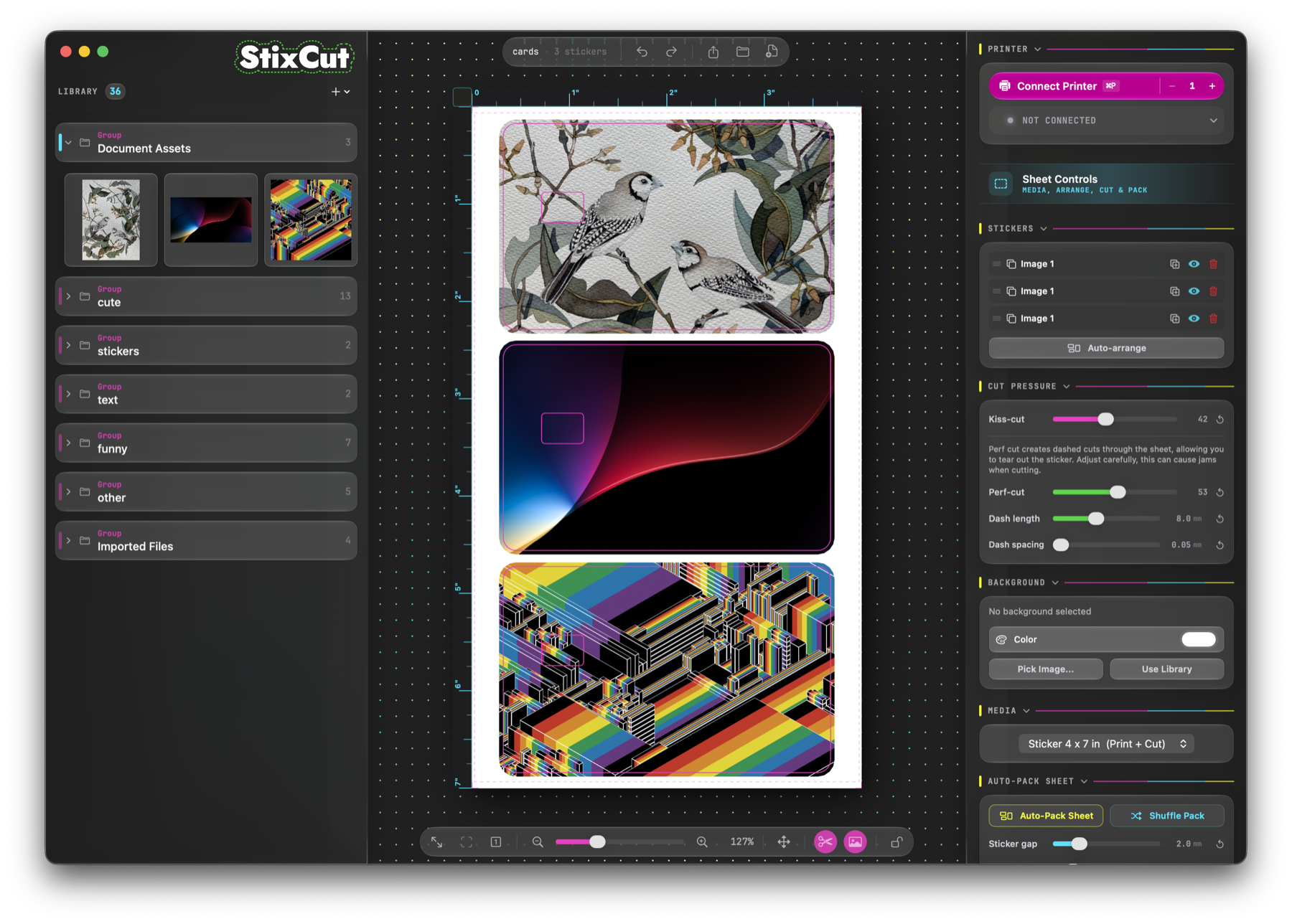
The short version: StixCut now has initial template support, better image replacement, rounded cut-path corners, drag ordering for panels, Windows SVG and sizing fixes, and a new 3-up credit card skin template you can download and try.
Templates are here
The biggest new feature in 1.0.16 is templates. Use File > Save as Template to save the current sheet as a shareable .stixtpl file. Templates preserve the sheet layout, cutlines, and background, but replace sticker artwork with placeholders so another user can drop in their own images.
Templates automatically open in locked mode. The new lock button on the bottom toolbar keeps cutlines in place while letting you replace or reposition artwork. Double-click a placeholder image, choose a new image, and the template keeps the original cut path. You can also drag the image inside the locked cutline and scale it from the Image panel.
More feature work
Version 1.0.16 also adds a corner radius control in the Cut Path section, which makes it easier to create rounded rectangles and soften sharp corners. If you want that radius baked into the editable path, the Bake Path button applies it permanently.
Replacing images is smoother now, too. The Image panel and context menus include commands to swap artwork while keeping the cut path, and the updated sticker is saved back into the library as a new item.
The earlier 1.0.15 release added drag ordering for the Library and Inspector panels. You can reorder panels where you want them, and StixCut remembers that layout. It also changed default cut margins so auto-traced artwork can still get a default margin while SVGs, rectangles, and ellipses start at 0.
Bug fixes and polish
The two releases also fixed several workflow bugs:
- Crop to cut no longer selects or drags hidden parts of an image.
- The selected cut path now persists when switching sticker selection.
- Windows SVG import now handles rectangles and other SVG shape types, not only paths.
- Windows transform box values update dynamically in path edit mode and can scale the cut path.
- Windows cut paths no longer get prematurely chopped off when sent to the printer.
- Windows image loading, SVG sizing, and saved file sizes were improved.
- Export Debug Files now includes a cutter preview image and, on macOS, the plotter file sent to the cutter.
A lot of new people found StixCut
The other big thing today: my post announcing StixCut finally went live in the PixCut S1 Owners group. It had been waiting for approval long enough that the Windows version shipped before the post did, and then the comments immediately started turning into real feedback and new feature ideas.
"Excited to give this a try!"
Colleen C.
"Have the pro membership and I love it."
Paige P.
"So much more control and fine tuning. And finally, die-cut stickers!!!"
Brian W.
"Makes the machine so much more useful. Thank you for the hard work."
Randy G.
One comment asked whether templates would be available, especially for credit card skins. That request turned into the 1.0.16 template release later the same night. Another asked about full-sheet background color or pattern printing for headers and branding, which StixCut already supports. Several Windows users jumped in as soon as they found out the beta was available.
That is exactly the loop I want for StixCut: people who actually use the PixCut S1 asking for sharper tools, then those tools getting built into the app quickly.
-Dan
Download StixCut ->